
AXYS
LONG TERM CARE PHARMACY
MANAGEMENT SOFTWARE
Building the Knowledge System Behind
LTC Pharmacy Platform.
About
AXYS is a long-term-care pharmacy management platform spanning hundreds of interconnected workflows and screens. I joined early in development and helped create the structure that allowed the product to scale: understanding pharmacy workflows, defining information architecture and interaction patterns, documenting system behavior, and building reusable tools that product and engineering teams could use consistently.
My work connected domain knowledge, user research, product requirements, design standards, and implementation guidance into a shared system for building the product.
Working Across Domains
I worked across several parts of AXYS simultaneously, which helped me see where workflows, requirements, and decisions connected across the product.
I used collaborative sessions and one-on-one work with Product Analysts to surface domain knowledge, align on complex problems, and translate that understanding into structured workflows, mockups, and interaction requirements.
For areas like billing and prescription processing, this was especially important because the logic crossed multiple roles and functions. My job was often to connect those pieces and make them clear enough for Product, Development, and QA to work from the same understanding.
Case Study #1
Information Architecture
Organized a 300+ page pharmacy platform into a coherent system of workflows, page types, relationships, and navigation patterns through research, flow analysis, and collaborative design.
Made the content easier to find, personalize, and extend—supporting different user roles, reducing navigation clutter, and creating a scalable foundation for continued product growth.
Case Study #2
Design Enablement Ecosystem
Built an interconnected documentation and design-governance ecosystem across Confluence, UXPin, component libraries, specifications, handoff, icon management, and reusable standards.
Enabled teams to build more independently and consistently, reduced repeated design decisions, improved communication between product and development, and established a reusable system that could scale beyond AXYS.
Case Study #1
Information Architecture for a 300+ Page Pharmacy Platform
AXYS served multiple pharmacy roles with very different responsibilities, workflows, and information needs. As the product grew, a fixed navigation model could not support the depth of the system, frequent multitasking, or future expansion.
I combined field research, workflow analysis, card sorting, page-pattern analysis, collaborative design, prototyping, and usability testing to create a scalable information architecture and navigation model.
Research & Team Alignment
My goal from the start was to make user and domain knowledge shared, not siloed. I brought research findings, workflow analysis, and usability evidence back to the team and used collaborative mapping sessions so people with different levels of pharmacy experience could contribute, challenge assumptions, understand each other’s areas, and build a shared picture of the workflows we were designing for.
The outcome was stronger alignment across the team and a shared understanding of users, workflows, pain points, and dependencies before structural decisions were made.
Structuring System
Outcome: Established a consistent foundation for organizing and extending 300+ pages, giving the team a shared model for where features belonged, how pages related, and how the system could grow without becoming fragmented.
Mental Mapping
Card-sorting
Analyzed Features
Defined Initial Categories
Ran hybrid card-sorting survey

Page Types & Patterns
Structuring the System
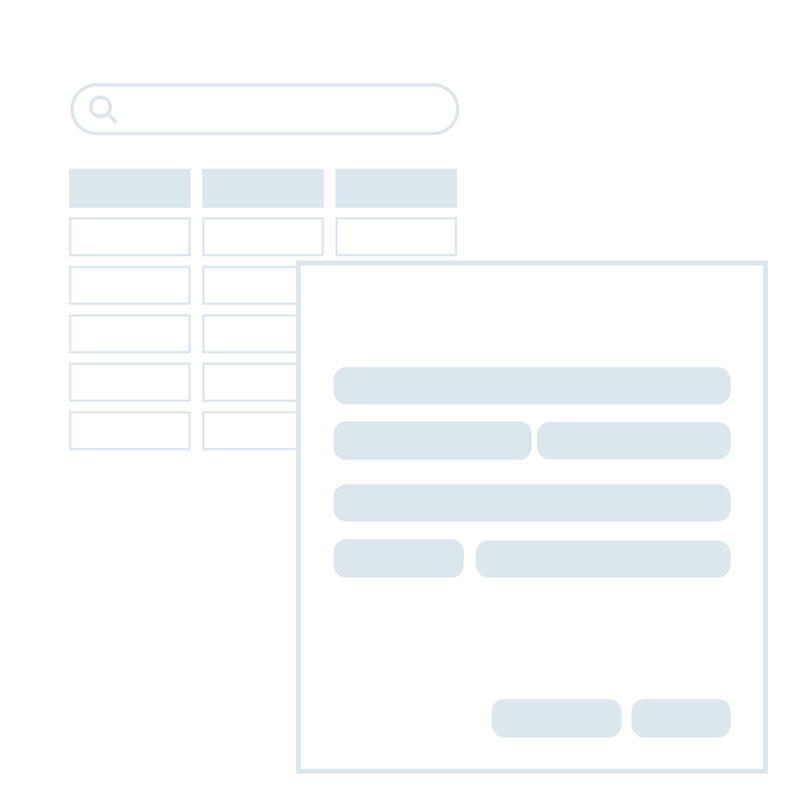
Defined page types: search tables, forms and tasks, read views, overlays, etc
High-level patterns: action buttons; navigation progress
Navigation Hierarchy
Defining Page Relations & Tiers
Each page is an independent space
- opened via menu
- through other pages

Ideating and Building
We explored multiple navigation models through wireframes and iterative usability testing with different pharmacy roles, comparing trade-offs in scalability, findability, and support for complex workflows before selecting the final approach.
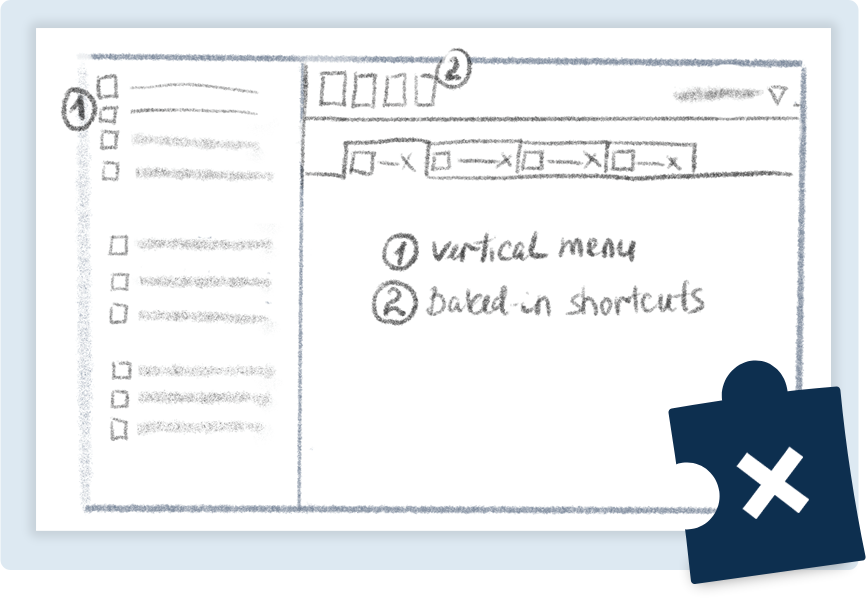
Failed scalability test, unsuitable for diverse tasks, deep nesting.
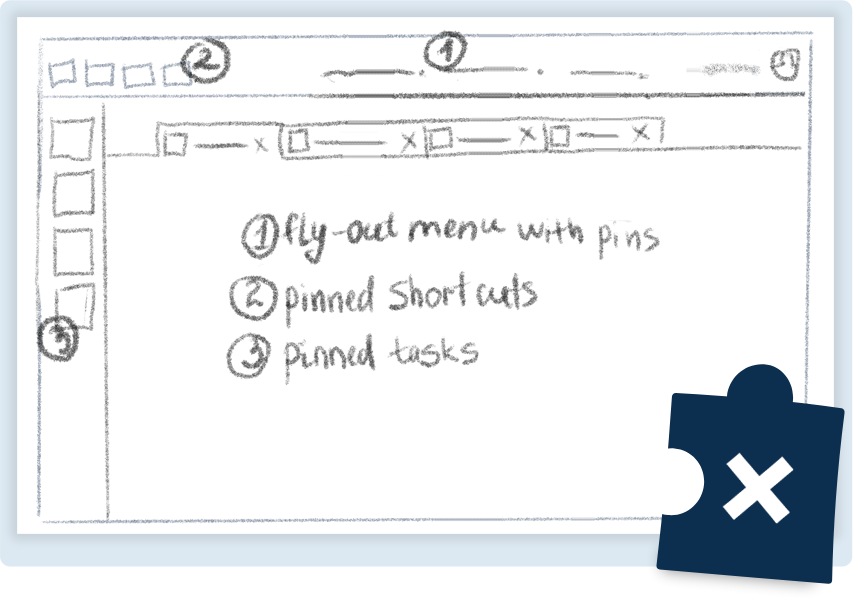
Restricted future expansion; users found it cluttered.
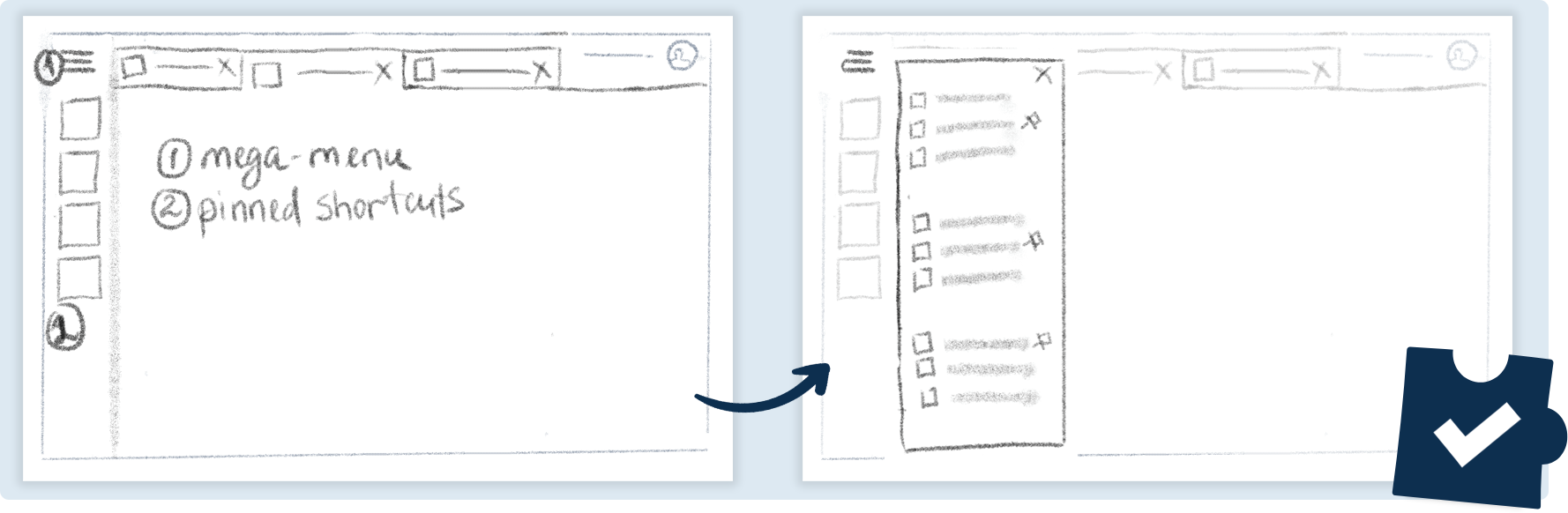
- Made the full AXYS product structure visible in one place
- Allowed different pharmacy roles to tailor the workspace to what was relevant to them
- Reduced constraints created by fixed sidebar navigation and deep nesting
- Served as a scalable structural foundation that could accommodate any number of pages, workflows, and future functionality.
User testing showed improved scanning and findability, while feedback from new users indicated easier onboarding.
Case Study #2
Building a Product Enablement Ecosystem
Once the information architecture was established, I wanted to make consistent UX repeatable without requiring a UX designer to define every screen. I translated UX principles, interaction patterns, and design decisions into reusable rules, components, documentation, and developer-ready UI patterns. Product Analysts could then turn requirements into mockups using established patterns, while specifications stayed focused on business logic and behavior.
Key Features
- UXPin component library — reusable interactive patterns for Product Analysts
- UX guidelines & interaction rules — embedded UX standards and best practices
- Confluence documentation — centralized patterns, workflows, standards, and guidance
- Icon library & governance — consistent visual language across the product
- Developer UI library — reusable coded patterns aligned with UX components
- Specifications & handoff — UI handled through established patterns so feature specs could focus on logic and behavior
UXPin Design System
Integrated design system in UXPin for real-time prototyping and iteration.
Guidelines & Patterns
Documentation of guidelines, patterns, component behaviors, and rules.
Developer's Design System
Interactive components with code snippets, showing how they should look and work.
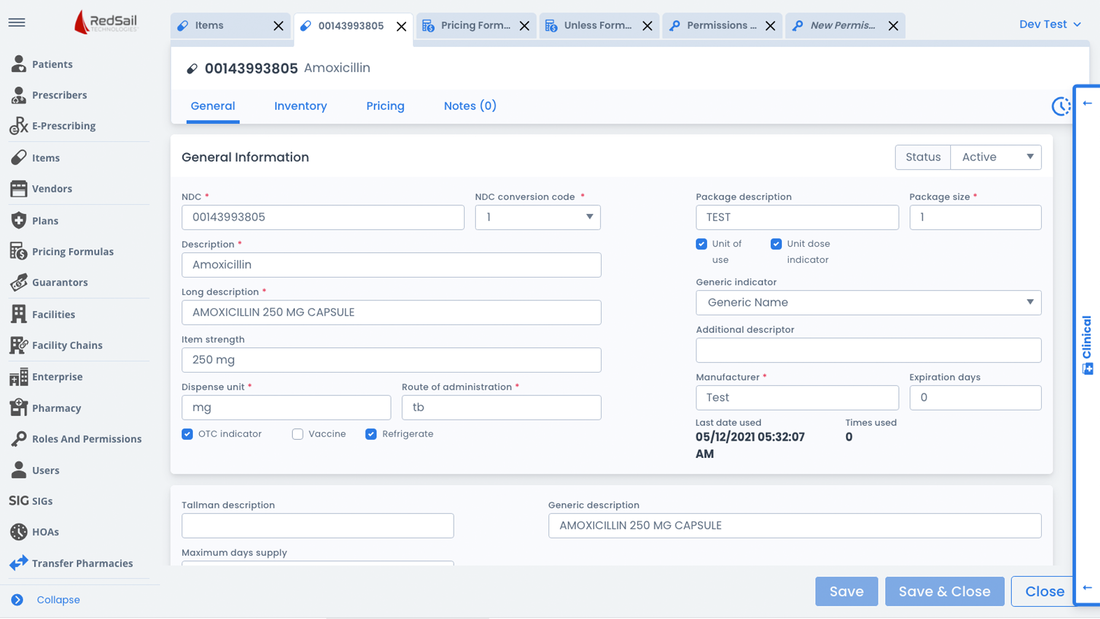
EXAMPLE:
A Product Analyst created this screen using the established components, patterns, and guidance—demonstrating that the system could support consistent interface design without requiring direct UX involvement in every screen.
IMPACT OF THE DESIGN SYSTEM
Product Analysts could translate feature requirements into consistent mockups using established UX patterns, while developers worked from aligned coded components and specifications focused more on business logic and behavior. This reduced UI inconsistency, improved communication across Product and Development, and made the approach reusable beyond AXYS.